
The product
Every incident has a path. We built the platform around it.
Five stages, one workflow, a clean audit trail at the end. Here’s how each part works.
Stage 01
Report. Get the incident in fast.
Anyone can file. Templates do the heavy lifting.
A new incident takes thirty seconds. Drop in a title, pick a category, set a priority. Attach a file if you have one. Pre-built templates handle the categories you file most often, so the reporter only types what’s actually unique.
The form remembers what makes sense. Department, suggested assignee, suggested priority, and SLA all populate from the template. If your team handles a category often (vendor non-compliance, near-miss safety reports, audit findings), you save a template once and the form is half-filled forever after.
- Pre-built incident templates (six samples ready to use: slip / fall, equipment failure, data breach, near-miss, vendor non-compliance, audit finding)
- Mobile-friendly form. File from a phone in the field, edit later at a desk.
- Optional risk-matrix picker. Click one cell instead of two dropdowns.
- Auto-generated incident number per organization (you set the prefix and starting number).
- Attached files travel with the incident from day one. Detail tab and Investigation tab keep their own attachment galleries so evidence is grouped sensibly.
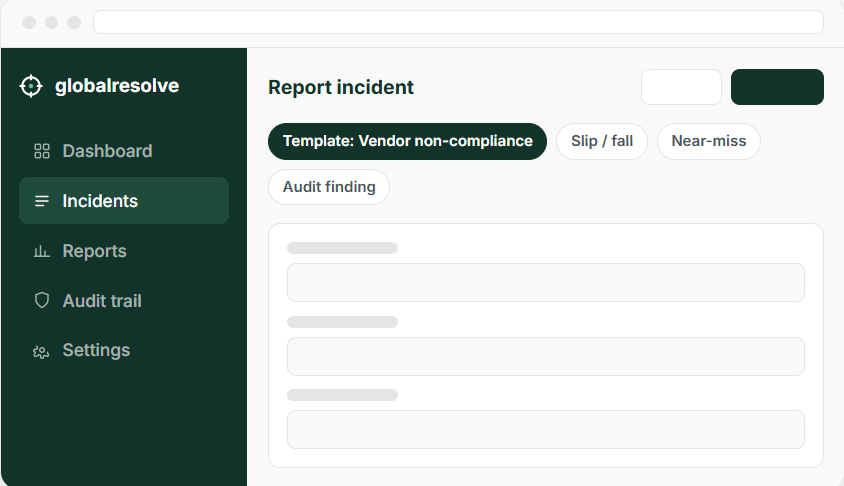
Screenshot of the Report Incident panel with a template applied, in light mode.
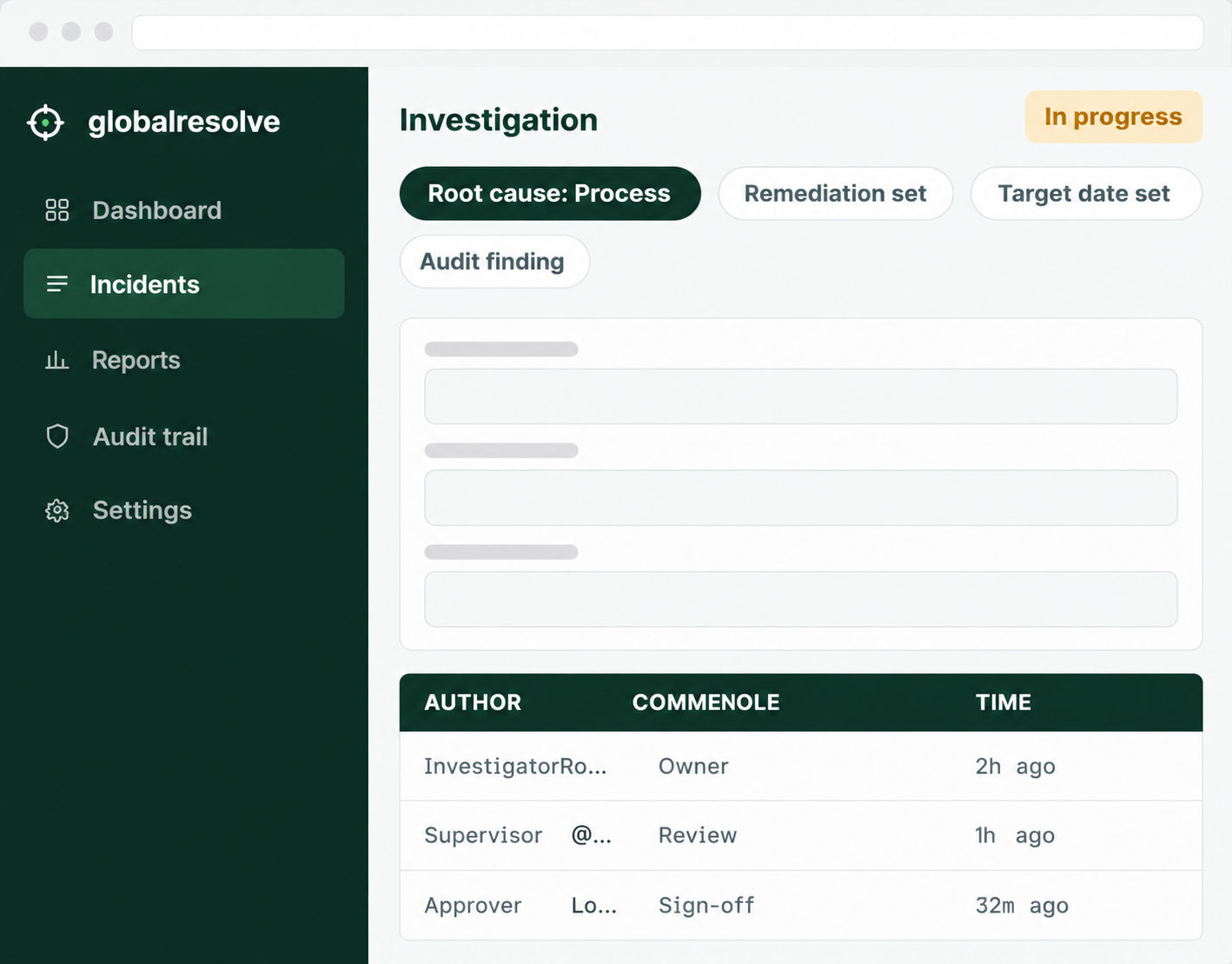
Screenshot of the Investigation tab on a real-feeling incident.
Stage 02
Investigate. With the right team, on a real workflow.
Three formal roles. Threaded discussion. Evidence trail.
Once an incident leaves Draft and reaches In Progress, the Investigation tab unlocks. A structured form covers the four things every investigation needs: summary, root cause, remediation, and target resolution date.
Three role slots are assigned per incident. The Investigator drives the work. The Supervisor reviews. The Approver signs off. Threaded comments live alongside the structured fields, with @mentions, file attachments, and edits tracked on every entry.
- Structured Root Cause Analysis: category (Process / System / Human / Third-party), description, remediation, target date.
- Threaded investigation comments with @mentions and reply chains.
- Separate attachment gallery for investigation evidence, distinct from the original report.
- Real-time presence indicators. See who's looking at the incident right now.
- Revision feedback loop. If the Approver rejects, the row returns to In Progress with the feedback inline, and the SLA clock pauses for time spent under review.
Stage 03
Approve. A real second pair of eyes.
Formal sign-off, paused SLA, full paper trail.
When the Investigator is ready, they hit Request approval. The incident moves to Pending Approval status and routes to the assigned Approver. The SLA clock pauses while review is happening, so the row doesn’t return to In Progress already overdue.
The Approver sees the full investigation summary, the root cause, the remediation, and the target resolution date in a single Closure approval card. Two options: approve and close, or reject and request revision (with feedback).
- Status-based gates. Approver-only buttons appear only when the row is Pending Approval.
- Email and in-app notifications fire on every transition.
- Bulk approval workflow. An Approver with twelve incidents pending can act on all of them from one screen.
- Audit trail captures every approval decision with timestamp, actor, and feedback (if rejected).
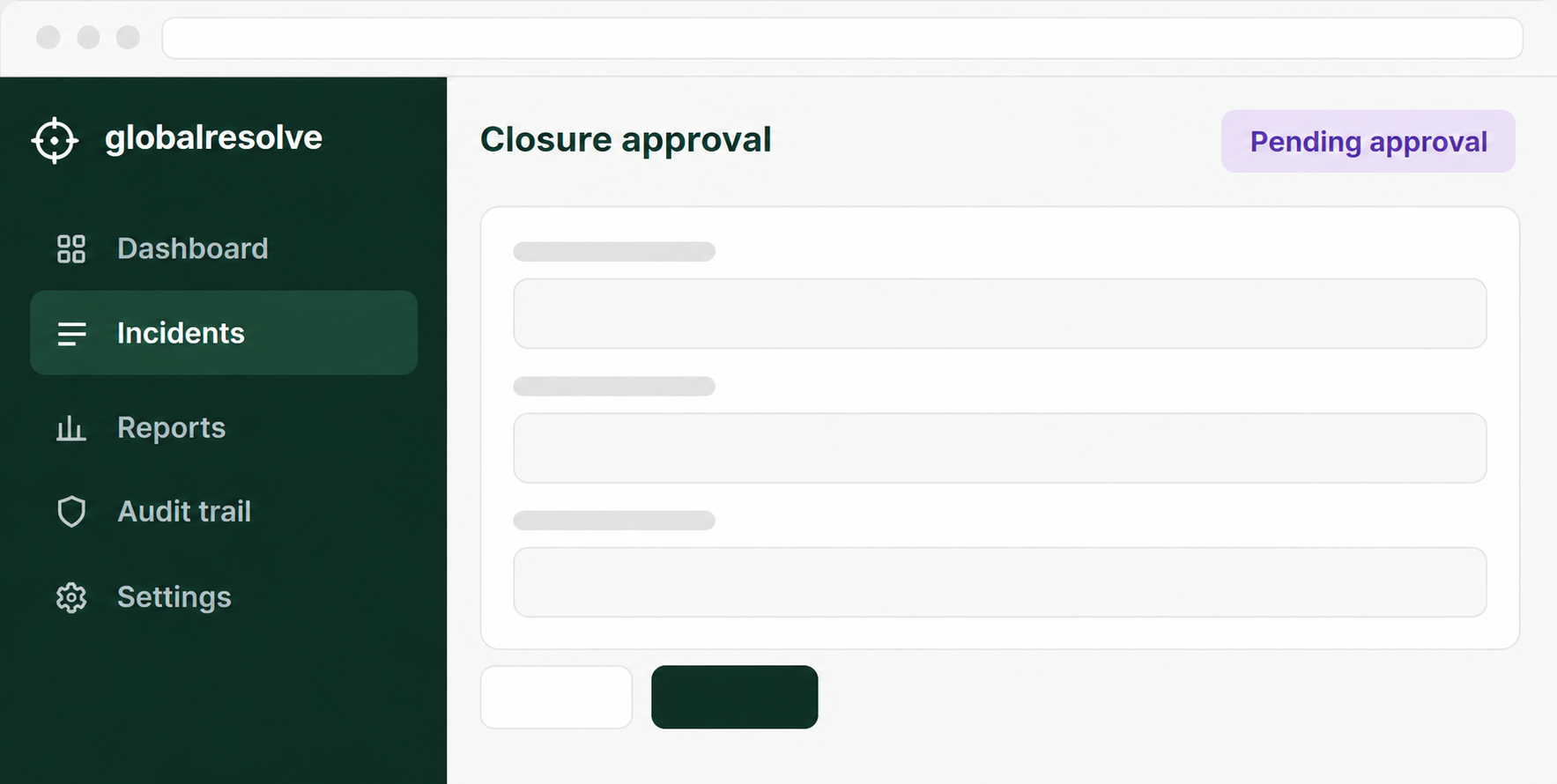
The Closure approval card, with approve and reject actions.
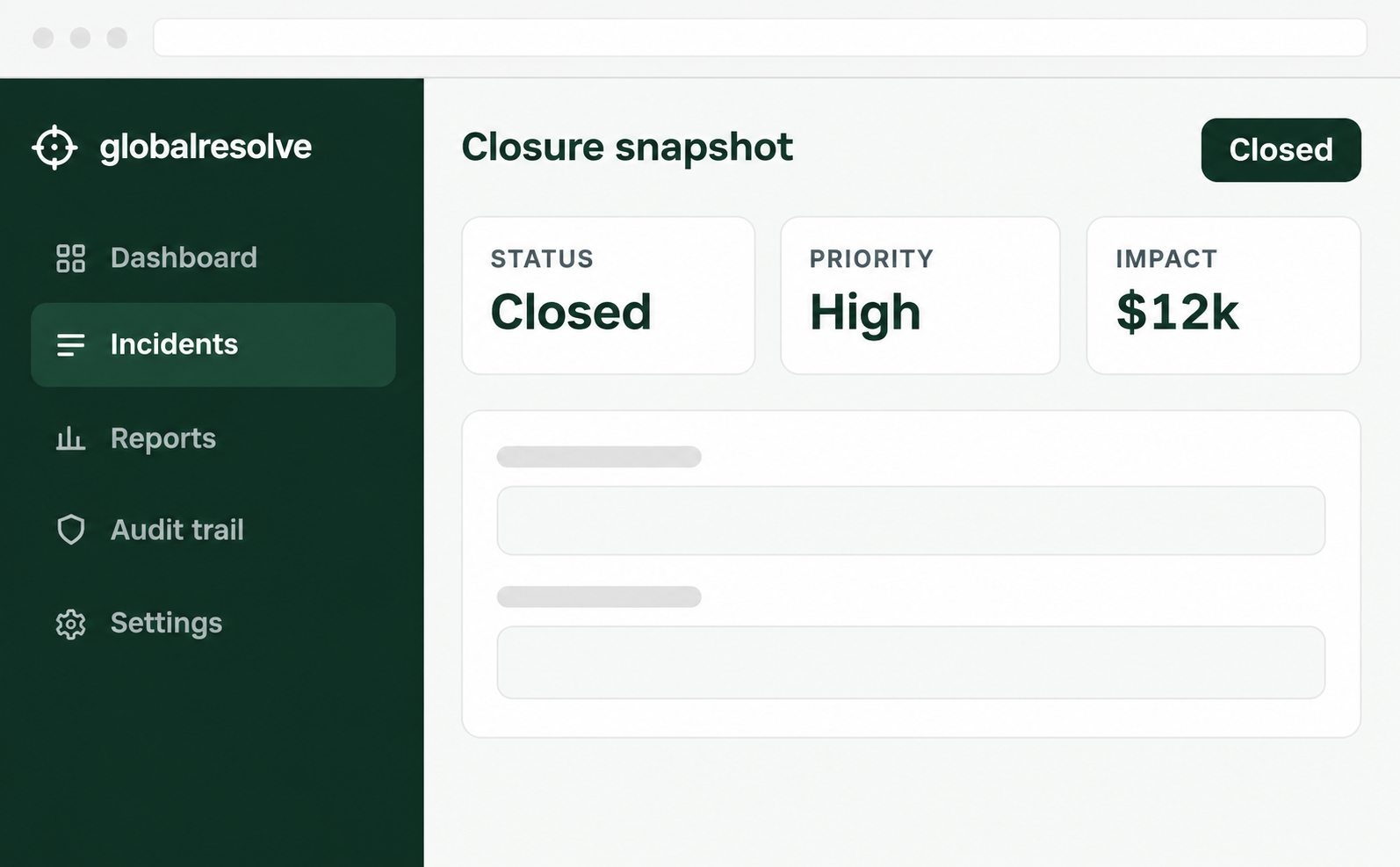
The one-page Closure Snapshot PDF attached to a closed incident.
Stage 04
Close. With a snapshot the auditor will love.
Closure attaches a one-page PDF automatically. Every time.
When an incident closes (either through the formal approval path or directly from In Progress on low-priority incidents), GlobalResolve generates a one-page Closure Snapshot PDF and attaches it to the incident. The snapshot captures the row’s final state: title, status, priority, dates, classification, monetary impact, assigned team, investigation summary, and root cause. It’s signed with a timestamp.
A closed incident is read-only. The snapshot is immutable. If you ever need to share the record with an auditor or external reviewer, you point them at the PDF.
- Automatic Closure Snapshot PDF on every close (single-row + bulk).
- Quick-close shortcut for Low-priority incidents (one click, not two).
- Closure snapshots also generated on demand from the Incident detail panel header.
- Status locks. Closed rows can be reopened with a single click from the kebab menu (with an audit row).
Stage 05
Audit. Already running. Always.
Every change logged. Searchable. Exportable.
GlobalResolve maintains a full audit trail under the hood from the moment your account is created. Every status change, comment, attachment upload, assignment, role change, and permission edit is logged with the actor, timestamp, and a structured diff of what changed.
The trail is searchable by category, severity, performer, target, and free-text. It exports to CSV (for spreadsheet review) and PDF (for compliance archives). Admins see everything. Managers see an operational subset (incidents, departments, templates, reports) so they have insight without seeing internal HR or auth events.
- Full audit trail across every user-facing action.
- Two-tier visibility: full (Admins) and scoped (Managers).
- Filter by category, severity, performer, target, date, free text.
- CSV and PDF export with an embedded filter summary, so a year-old export is still self-explanatory.
- Row-level expand to see structured diffs (e.g., "Status: Resolved to Closed" instead of opaque IDs).
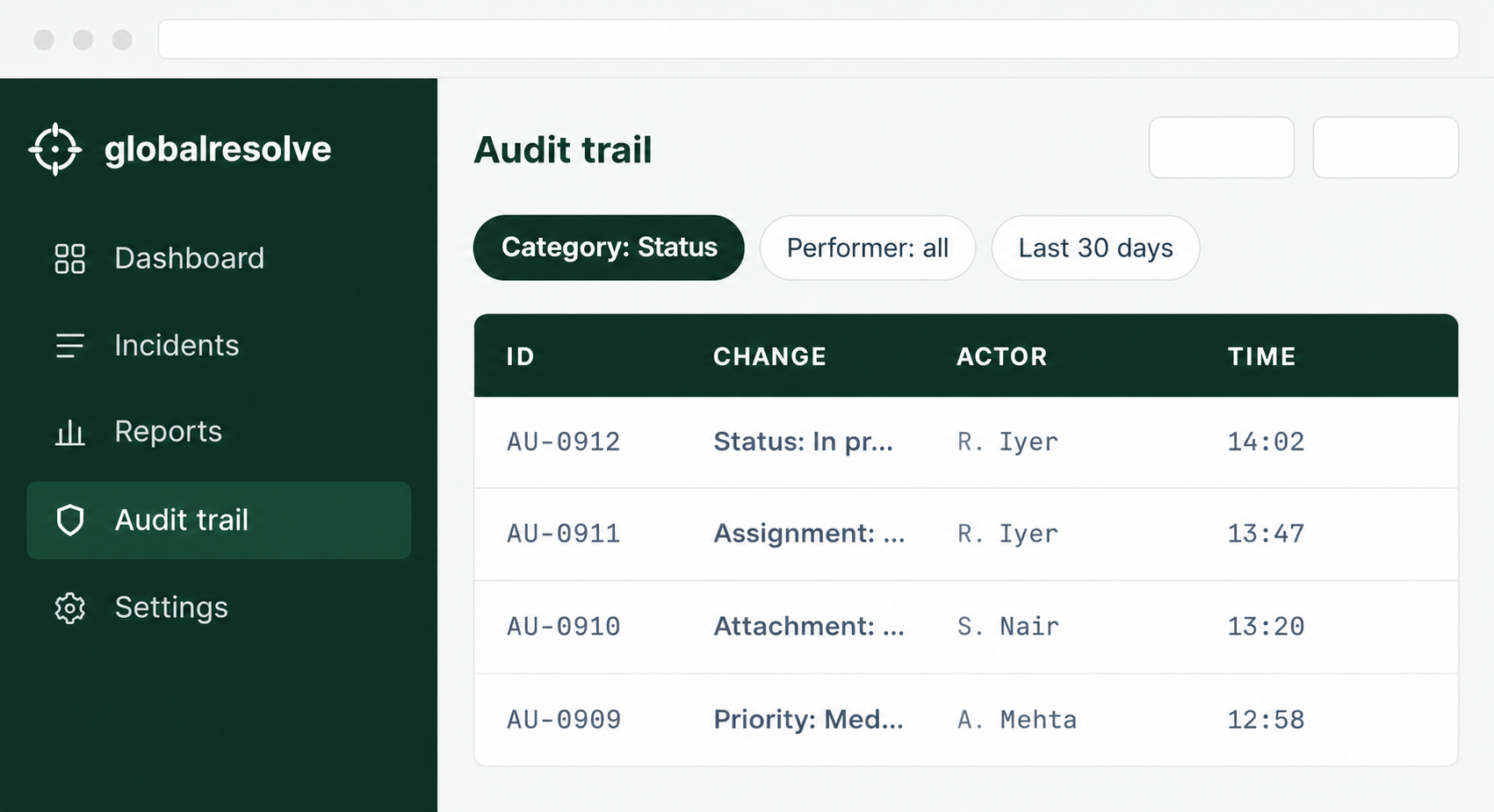
The audit trail, with structured diffs on every row.
Everything else that holds it together.
Workflow rules, reports and AI insights, multi-organization support, role-based access, integrations, and security and data residency.
Workflow rules
Build automation rules without code. Set status by trigger. Send templated emails. Re-assign by category. Test rules in dry-run mode before activating.
Reports and AI insights
Build saved report templates with full filter snapshots. Generate PDF or CSV with embedded charts. AI Insights and Common Problems analysis run on the filtered data on demand.
Multi-organization support
Manage incidents across multiple companies from one account. Switch organizations with a single click. Each org has its own data, brand color, currency, and permissions.
Role-based access
Five default roles (Admin, Manager, Safety Officer, Staff, Viewer) with token-based permissions. Customize permissions per role. Per-incident ownership rules mean Staff can only edit incidents they own or are assigned to.
Security and data residency
SOC 2 Type II target Q4 2026. GDPR-ready. Data processing addendum available.
See the full workflow on your own incidents.
Free 14-day trial. Unlimited users. No credit card to start.